For the complete documentation index, see llms.txt. Markdown versions of all docs pages are available by appending .md to any docs URL.
Streamable HTTP
Connect to MCP servers via streamable HTTP with automatic session management
Connect to an MCP server via streamable HTTP.
About streamable HTTP
Agentgateway automatically manages stateful MCP sessions when using HTTP-based transports. The session state (including backend pinning) is encoded in the session ID and persisted across requests, ensuring that subsequent tool calls in the same session are routed to the same backend server.
    sequenceDiagram
    participant Client
    participant Agentgateway
    participant MCP Server

    Client->>Agentgateway: initialize (no session)
    Agentgateway->>MCP Server: initialize
    MCP Server-->>Agentgateway: initialized
    Note over Agentgateway: Pin session to backend<br/>Encode state into session ID
    Agentgateway-->>Client: Mcp-Session-Id: encrypted-state-abc123

    Client->>Agentgateway: call_tool (with session ID)
    Note over Agentgateway: Decode session ID<br/>Route to pinned backend
    Agentgateway->>MCP Server: call_tool (same server)
    MCP Server-->>Agentgateway: tool result
    Agentgateway-->>Client: result
- Session initialization: When a client sends an
initializerequest, agentgateway creates a session and returns a session ID - Backend pinning: The session is pinned to a specific backend server (important when using multiple targets)
- State encoding: The session state is encoded into the session ID using AES-256-GCM encryption
- Session resumption: Subsequent requests with the same session ID are automatically routed to the same backend
Stateless sessions
By default, agentgateway proxies streamable HTTP in stateful mode, as described in the previous section. You can instead run in stateless mode with the statefulMode field, so that agentgateway does not create a session or return an Mcp-Session-Id header. Each request is treated independently, and the client must send the full context that the request needs. This mode suits stateless agents, or MCP servers where the client handles state directly.
statefulMode field controls how agentgateway proxies session-based servers. It is separate from the newer, inherently sessionless 2026-07-28 MCP protocol, which agentgateway supports automatically through version negotiation. For more information, see MCP spec compatibility.To use stateless mode, set statefulMode to stateless on the MCP configuration.
# yaml-language-server: $schema=https://agentgateway.dev/schema/config
mcp:
  port: 3000
  statefulMode: stateless
  targets:
  - name: mcp
    mcp:
      host: http://localhost:3005/mcp/
When you send an initialize request through agentgateway in stateless mode, the response returns HTTP 200 with no Mcp-Session-Id header. In the default stateful mode, the same request returns an Mcp-Session-Id header that pins the session to a backend.
Before you begin
Install theagentgateway binary.Configure the agentgateway
Spin up an MCP server that uses streamable HTTP.
PORT=3005 npx -y @modelcontextprotocol/server-everything streamableHttpCreate a configuration for your agentgateway to connect to your MCP server. Make sure to expose the
Mcp-Session-Idheader in the CORS configuration for session persistence.cat <<EOF > config.yaml # yaml-language-server: $schema=https://agentgateway.dev/schema/config mcp: port: 3000 policies: cors: allowOrigins: - "*" allowHeaders: - "*" exposeHeaders: - "Mcp-Session-Id" targets: - name: mcp mcp: host: http://localhost:3005/mcp/ EOFRun the agentgateway.
agentgateway -f config.yaml
Verify access to tools
Open the agentgateway UI to view your listener and backend configuration.
Connect to the MCP test server with the agentgateway UI playground.
From the navigation menu under MCP, click Tool Playground.
If you see a Browser access is not allowed notice, click Apply CORS so the playground can call the MCP listener from the UI.
Click Initialize to open an MCP session. The agentgateway UI connects to the target that you configured and lists the tools that are exposed on the target.
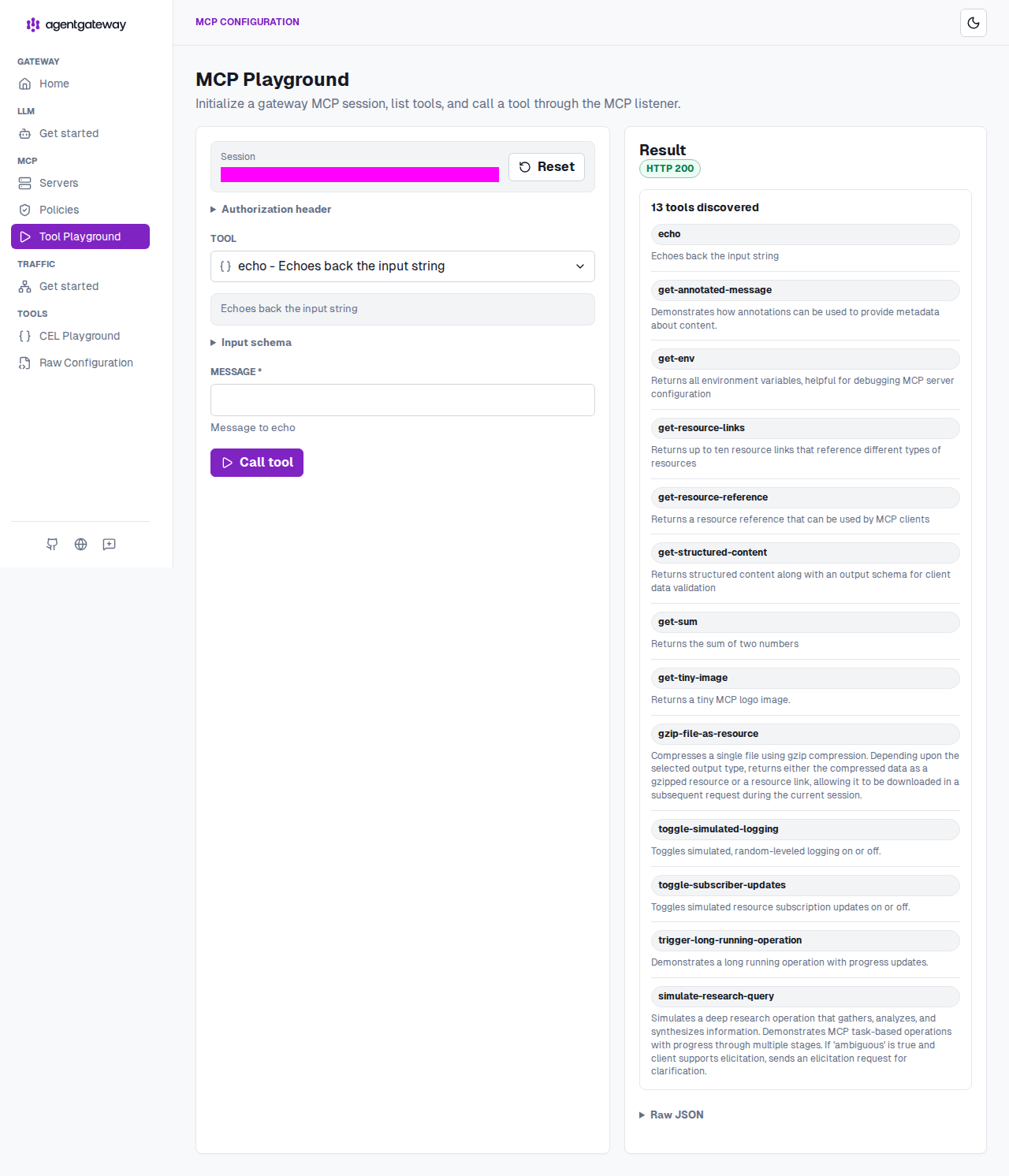
Verify access to a tool.
From the Tool list, select the
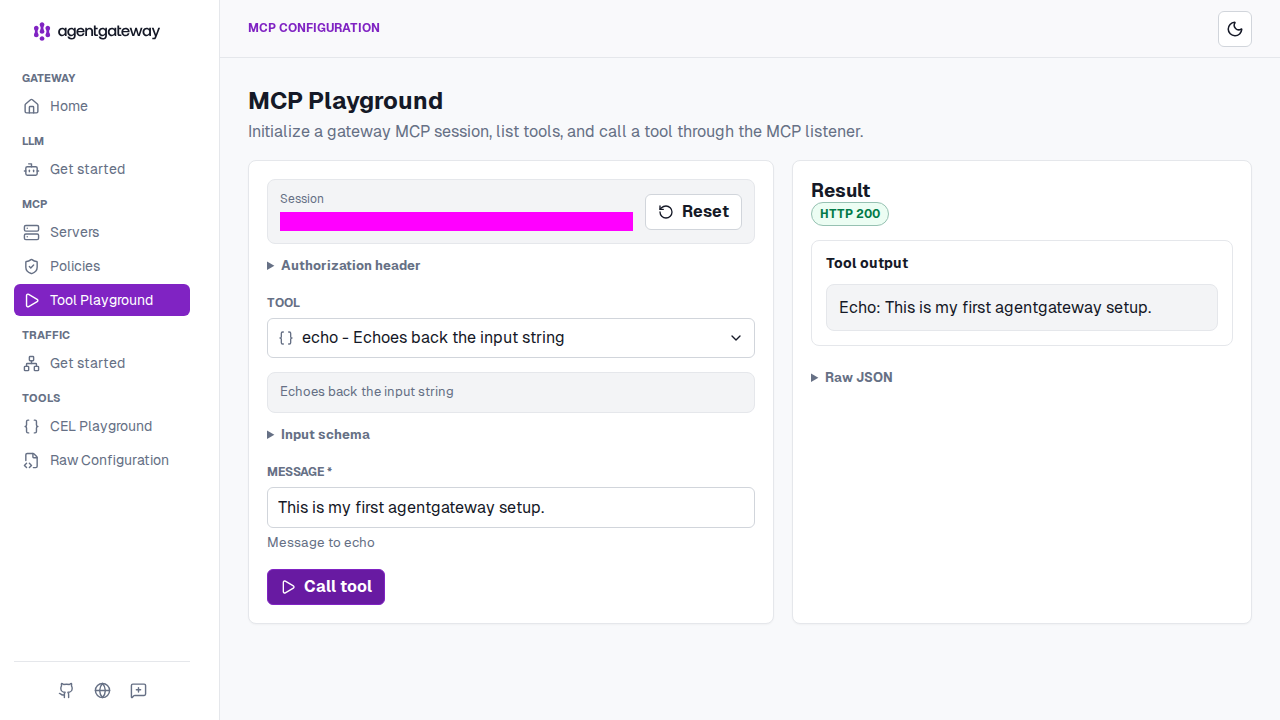
echotool.In the Message field, enter any string, such as
This is my first agentgateway setup., and click Call tool.Verify that the Result card shows an
HTTP 200response with your message echoed back.